



.png)
Jobsite safety meets Autodesk. Finally.
Your project data lives in Autodesk. Your field safety execution should too. Breadcrumb brings inductions, SWMS, permits, attendance, and other jobsite safety data and documents into the Autodesk workflow your team already trusts.
Capture inductions, attendance and permits in the field
Collect and verify SWMS and other subcontractor documents
Sync every record to Autodesk Files and Forms automatically

Field safety execution, finally inside your Autodesk workflow.

Safety workflows crews actually complete.
Breadcrumb turns inductions, permits and check-ins into simple mobile workflows. No paper. No pencil-whipping. Just consistent, completed safety records from every shift.

Subcontractor compliance, resolved before mobilization.
Collect SWMS, SDS and other documents through a single no-login link. Know exactly who's approved, who's pending and who's expired, before anyone sets foot on your jobsite.

Every safety record, synced to Autodesk.
Inductions, permits, daily logs and SWMS flow directly into Autodesk Files and Forms. Your field safety data lives where the rest of your project data already does.
Pair Autodesk with a tool that your subcontractors actually like using.

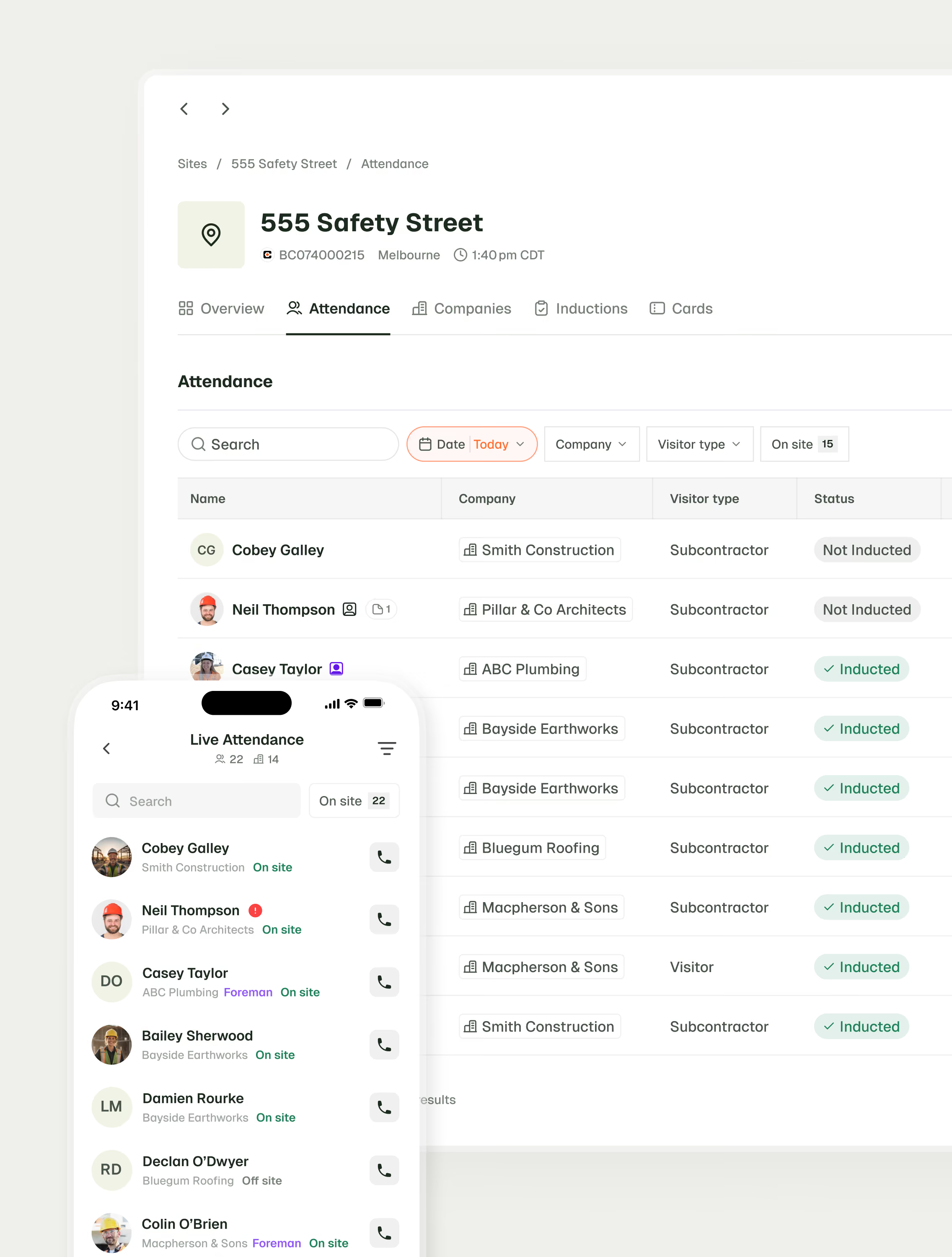

Keep safety execution connected to the project.
Safety execution breaks down when the field lives in one system and project records live in another.
Breadcrumb brings inductions, SWMS, permits, attendance, and jobsite safety documents directly into Autodesk, so your team has one organized, up-to-date place to find what happened, who was on site, and what was completed.


Verify your subcontractors without the extra work.
You shouldn't need five follow-ups to get a SWMS revised by a subcontractor. Collect SWMS, SDS and other documents through no-login links, not messy email threads.
Easy to submit and even easier to review. Subcontractor and worker profiles (think licenses, training and certification) follow from project to project and even across GCs. When a sub shows up on your next jobsite, their documentation is already there.
Trade your paper safety binders for Autodesk folders.
Breadcrumb turns field safety activity like orientations, PTPs and check-ins into organized Autodesk records in Files and Forms. Every document, form and sign-off becomes searchable proof of safety across your jobsites.

Your questions, answered...
Breadcrumb syncs field safety records like inductions, SWMS, permits, attendance and other subcontractor documents directly into Autodesk Files and Forms. Your safety data shows up where the rest of your project data already lives. No manual uploads. No double-handling.
Nope. Workers complete inductions, SWMS review and check-ins through Breadcrumb the same way they always do. The sync to Autodesk happens automatically in the background.
Site diary/attendance syncs to Autodesk Forms. All other documents (inductions, SWMS, SDS, insurances, permits, etc) sync to Autodesk Files.
Absolutely. Every submission, approval, and version update is time-stamped and stored, giving you a clean digital record with no extra admin required.
No. Subcontractors submit their pre-mobilization docs through Breadcrumb's no-login invite link. Once approved, those documents sync to your Autodesk project automatically.
The Autodesk integration is available as part of Breadcrumb's offering. Reach out to your account manager or contact our team to get set up.
Get field safety execution into Autodesk where it belongs.
Discover how Breadcrumb keeps 50,000+ jobsites compliant and efficient, today.
