




Know who’s qualified, without the guesswork.
Breadcrumb stores all worker licenses and tickets in one place, so you see exactly who can be on site and what they’re cleared to do.
Licenses in one place
Expiry dates visible
Worker information at a glance
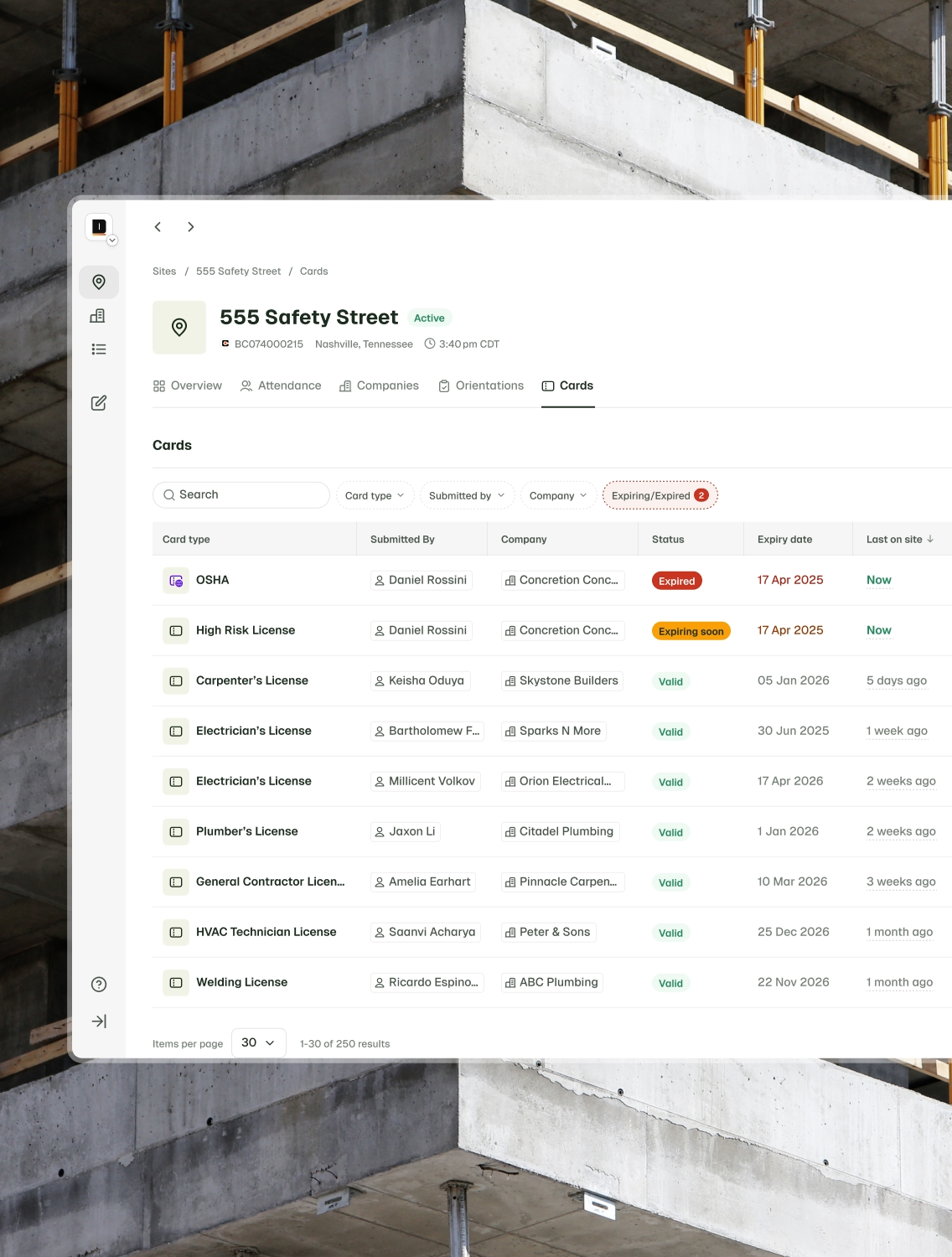
Never get caught out by expired licenses again.

Know exactly who’s compliant
Workers upload their own licenses and tickets, making every certification immediately available for audits and site management.

Never get caught out by expiries
Clear visibility of license and ticket expiry dates lets you stay ahead of renewals and avoid compliance issues before they happen.

Confidence in crew qualifications
See worker names, companies, and ticket types all in one place, giving you a complete picture of your crew’s qualifications.
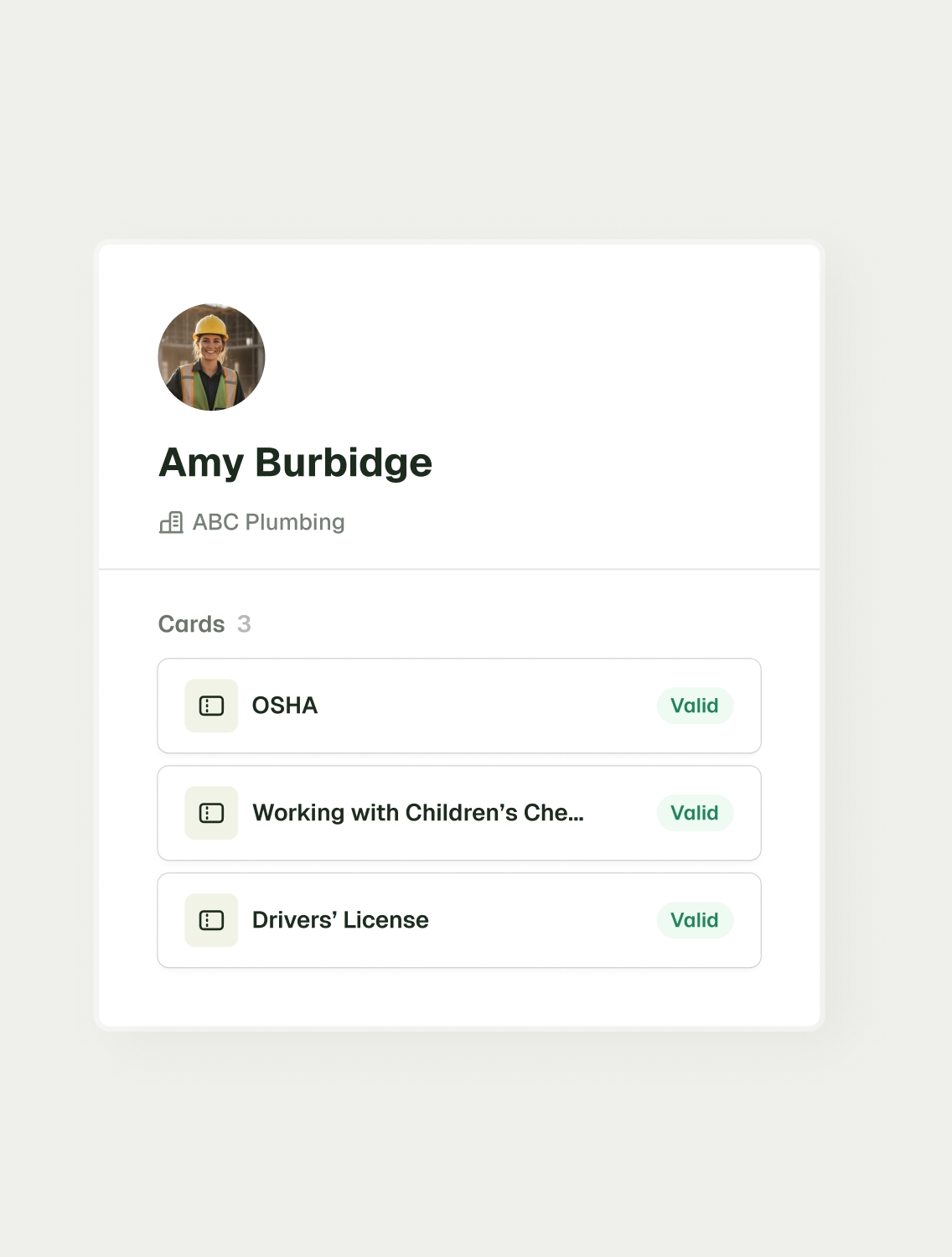
Digital tickets for unquestionable compliance.
Workers can directly upload their licenses and tickets to Breadcrumb, making them instantly visible in the site-specific cards register. Compliance checks are digital, with certifications ready for audits and site management.
Stay ahead with smart expiry tracking.
Never miss an expiry again. All uploaded licenses and tickets display clear expiry dates, allowing proactive management of renewals and preventing expired credentials on the jobsite.


See your workforce, at a glance.
You shouldn’t have to dig through folders or chase contractors to know who’s qualified for what. Breadcrumb gives you that instant clarity. General contractors can see every worker’s name, company, and ticket type in one place, giving a centralized view of your workforce’s qualifications.
Upload once, use everywhere.
Workers don’t need to waste time on repetitive admin. If a worker uploads their OSHA 10 card to Breadcrumb, it will automatically populate for any GC who requests an OSHA 10 card from that worker in the future.

Your questions, answered...
Workers can upload their licenses and tickets directly through Breadcrumb. Once submitted, they become instantly visible in the site-specific cards register for supers and safety managers to review.
Uploaded licenses and tickets are visible to supers and administrators with the right permissions, making compliance checks simple and accessible.
When a license or ticket is uploaded, its expiry date is recorded in Breadcrumb. The system displays these dates clearly so managers can see upcoming expirations at a glance.
Yes. Breadcrumb highlights upcoming expiries so you can take action before a credential becomes invalid and causes compliance issues.
Breadcrumb records each worker’s name, company, and ticket type, giving managers a complete and accurate view of their workforce qualifications.
Yes. Because records are centralized, managers can review workforce compliance at both site and company level, ensuring visibility across all projects.
Don’t let expired credentials or manual checks slow you down.
Discover how Breadcrumb keeps 50,000+ jobsites compliant and efficient, today.
