



.png)
Here's the TL;DR:
- NextGen is here. The biggest evolution of Breadcrumb yet, a complete reimagining of the web portal built around your sites and guided by customer feedback.
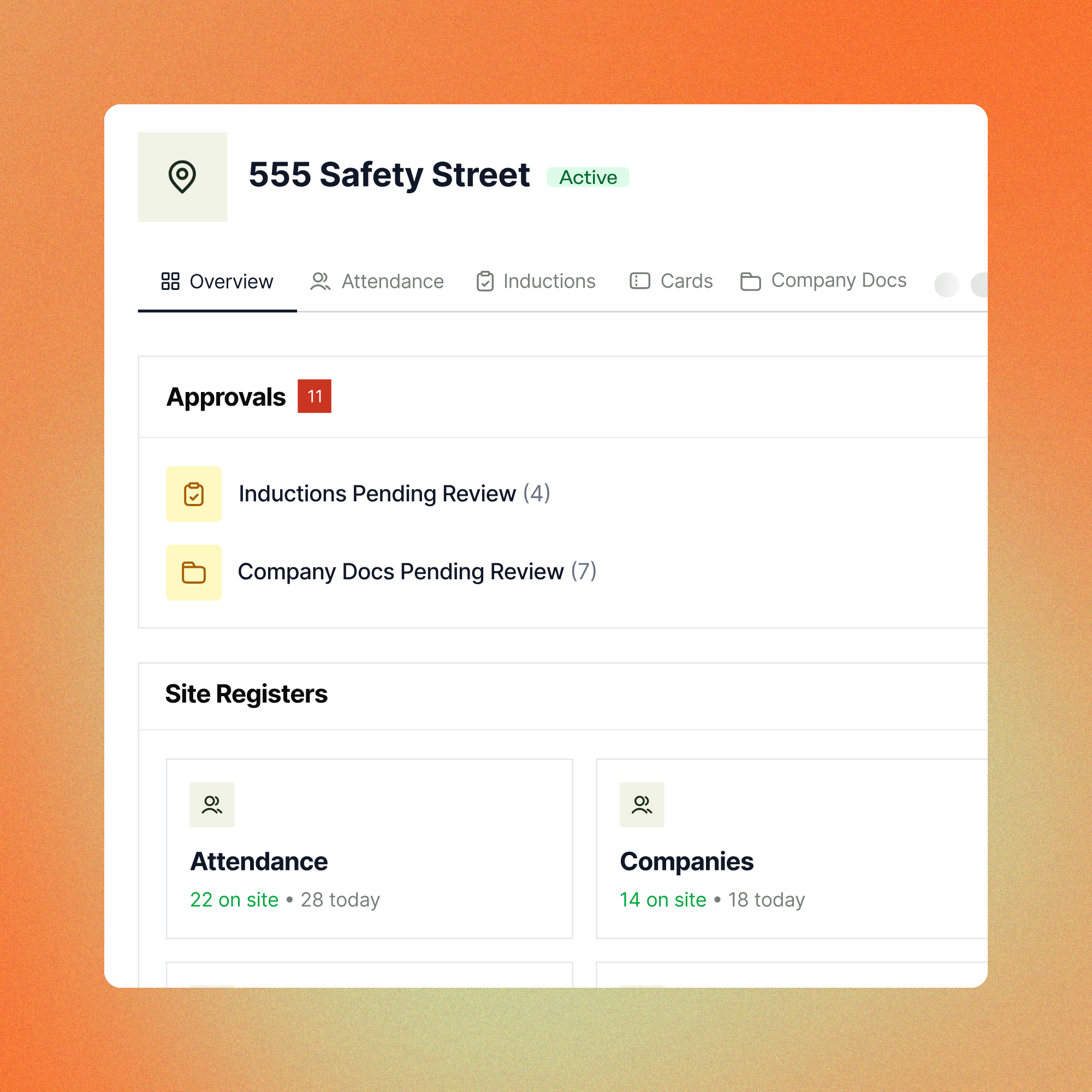
- Everything in one place. See who’s currently on site, which companies are compliant, and any outstanding documents in one view. No more clicking between screens.
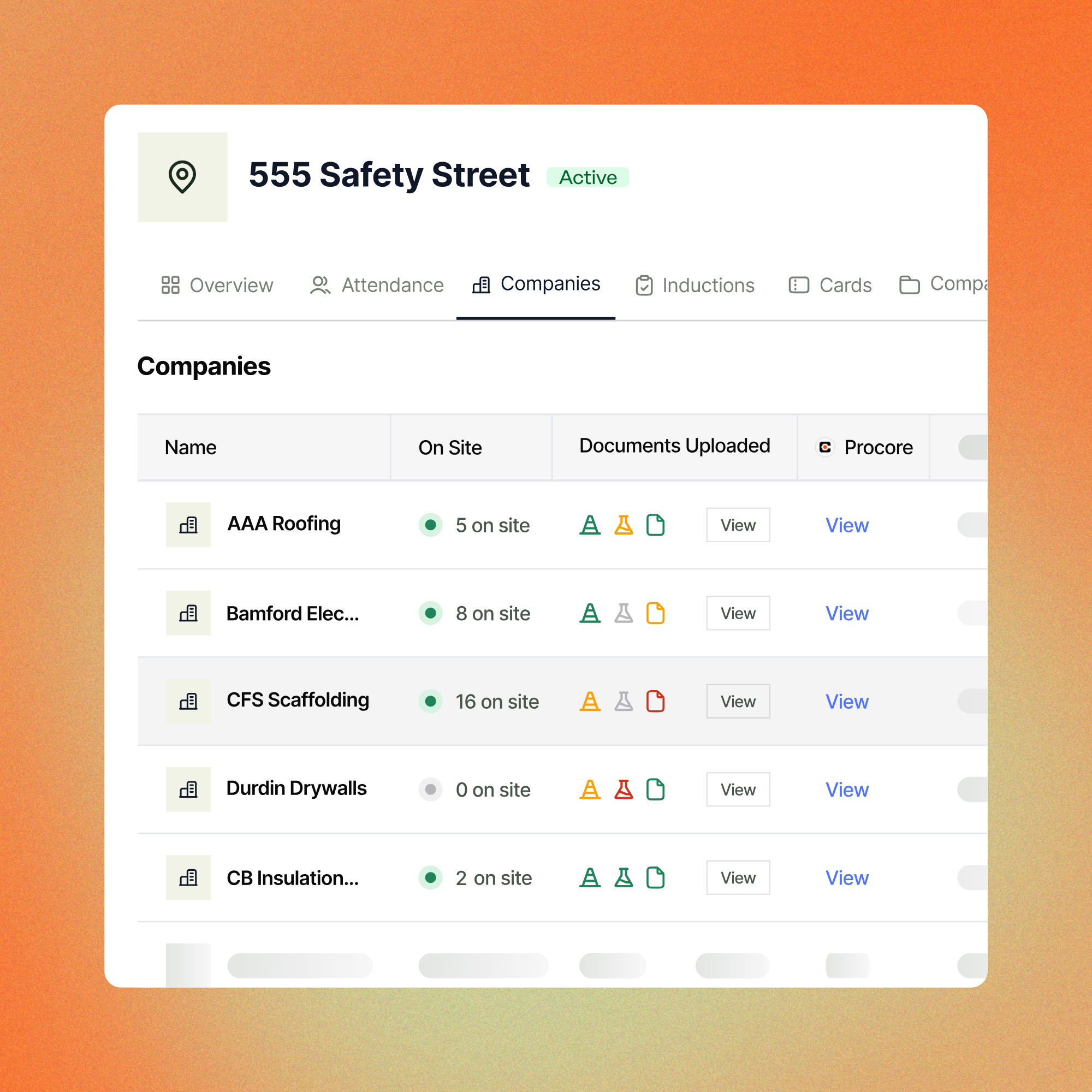
- Compliance at a glance. View the status of every subcontractor document type, from submitted and under review to rejected or expired.
Today we launched NextGen, our completely reimagined web portal. It's the biggest change to Breadcrumb we've ever shipped (even bigger than that time we dropped the '1' from our name).
We've reorganised everything around your sites, with intuitive new filters, views, and colour-coded compliance indicators that make it easy to find what you're looking for.
After 12 months of building, testing and gathering customer feedback, we’re confident NextGen is the next step in giving safety managers complete control and oversight of their safety programmes.
Breadcrumb, rebuilt around your sites
Our goal has always been to simplify compliance and improve site safety. We've helped over 1,000 contractors around the globe get complete visibility of their workforce and cut the time spent on paper-heavy admin processes.
But we never stop asking our customers what could be better, and across their sites, the same questions kept coming up.
"Why isn't everything for the site in one place?"
"How many workers on my site need their induction approved?"
“Is there a way to see what’s outstanding at a glance, and what's putting this project at risk?"
Our research into the Classic portal showed that site managers wanted faster access to find the information they needed, especially during audits, incidents, or time-sensitive situations. We wanted to develop a portal that reduces as much friction as possible because friction costs time and increases risk.
NextGen solves those specific problems. Site and safety information sits in one place, compliance is visible at a glance, and site teams spend even less time clicking and searching for answers.
What’s changed Inside NextGen?
Redesigned dashboard centered around the site
Open NextGen and you see who's currently on site, which companies are compliant, and any outstanding documents that still need attention. No more jumping between screens or clicking through multiple sections to find what you need.
Colour-coded compliance indicators
Check the status of every subcontractor document type at a glance, from submitted and under review to rejected or expired. Hover over the icons and see exactly how many need to be reviewed.
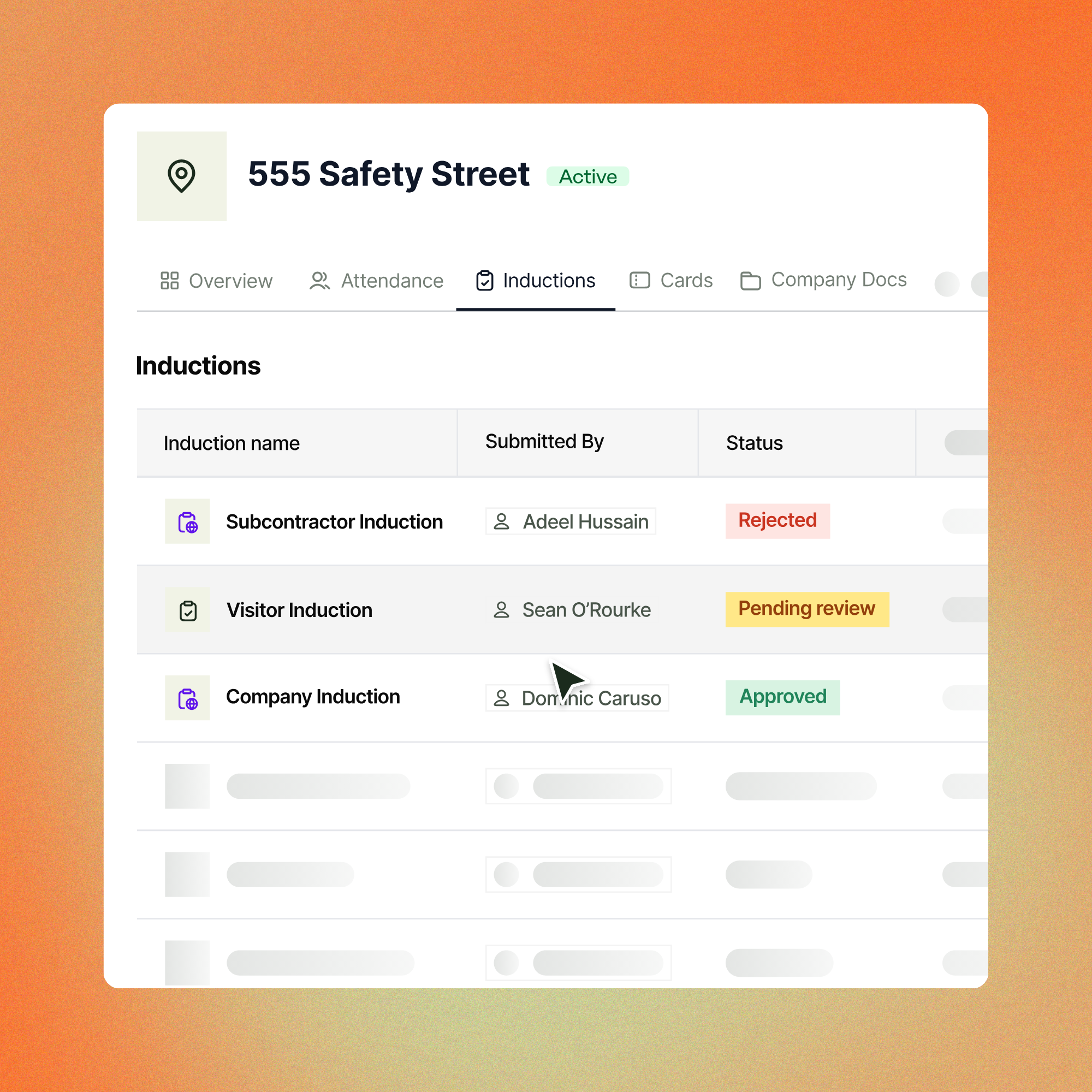
Inductions management
See instantly which workers need their inductions approved, with the ability to review and action them directly from the site view.
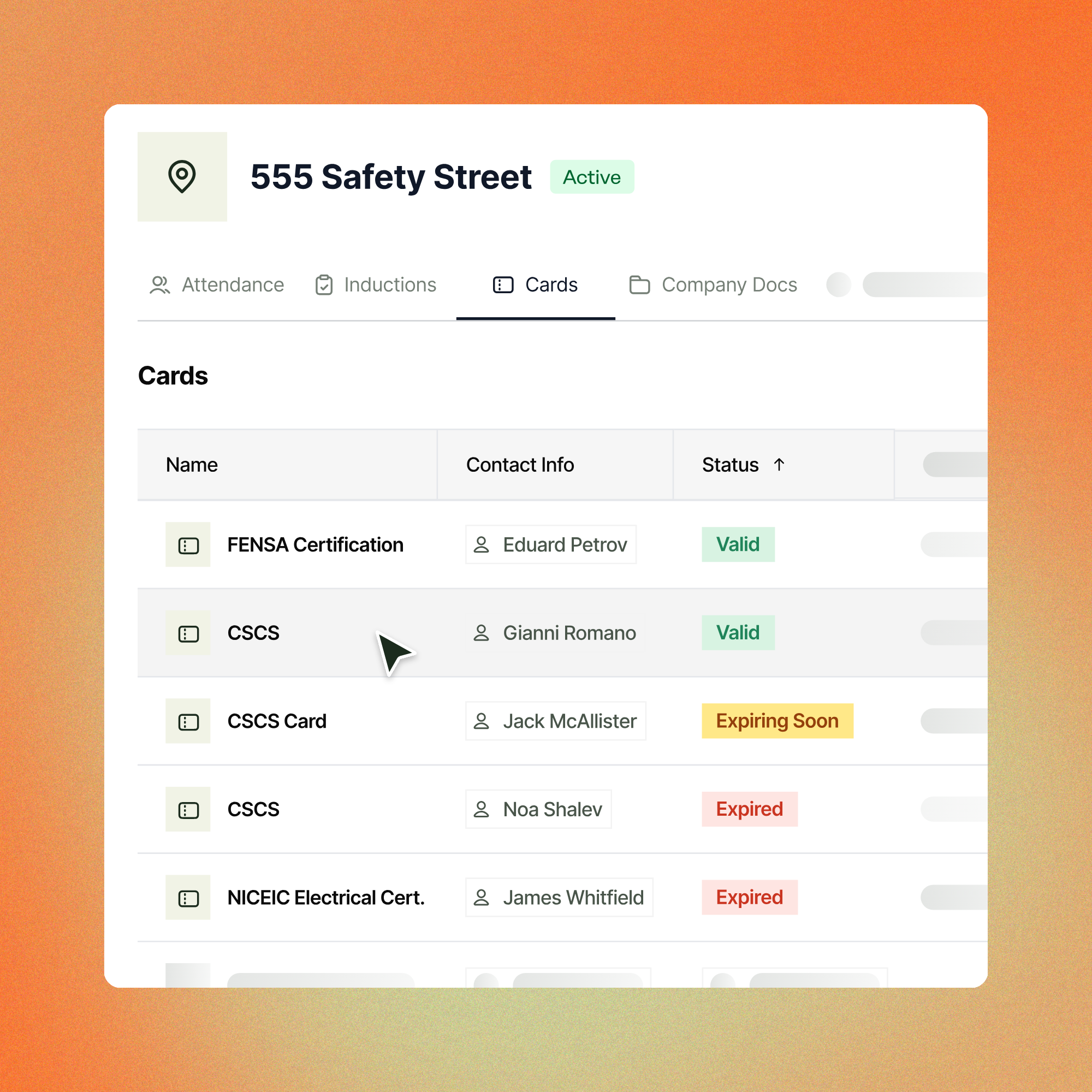
Card and qualification tracking
A cleaner, more organised credentials page that makes verifying and managing worker qualifications faster, with expiry dates clearly surfaced.
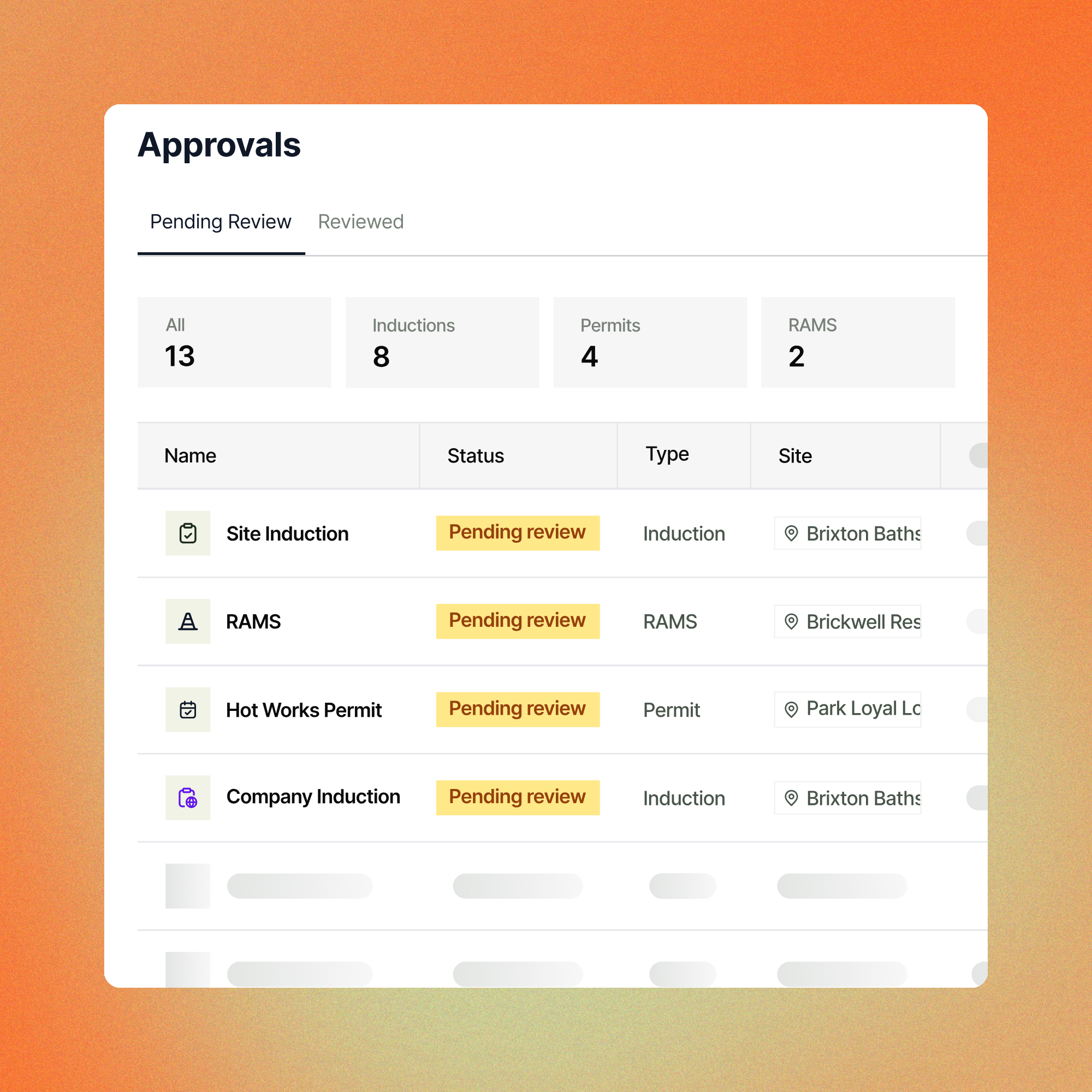
Approvals Register
A global view of all pending and completed approvals across RAMS, inductions, permits, and more. Track outstanding reviews and maintain a clear audit trail across all your sites.
Getting started on NextGen
NextGen is available now for all customers in the United Kingdom and Ireland. Reach out to your customer success manager and we'll get you started.
If you're not yet on Breadcrumb, come and see what NextGen can do for your sites. Schedule a demo with our team today.
Frequently asked questions
What is NextGen?
NextGen is Breadcrumb's reimagined web portal, shaped by 12 months of building, testing, and listening to our customers. We knew site managers wanted faster access to the information they needed, and the Classic portal required too much clicking between tools and sections to get there. NextGen solves this by reorganising everything around sites, with intuitive new filters, views, and colour-coded compliance indicators that make it easier to find what you’re looking for.
How do we opt-in to use the NextGen portal?
If you’re interested in beginning the switch over to the NextGen portal, reach out to your CSM for more information.
Can I still access the Classic portal? How do I switch between the two?
Yes. Classic will remain accessible. For example, NextGen can be used by site management while Classic continues to handle permits and admin tasks. However, our vision is for NextGen to completely replace Classic as quickly as possible.
NextGen will eventually replace Classic completely, but in the meantime, switching between the two is simple. Your login credentials remain the same. The only difference is the URL used to access each portal. We'll provide both links so you can move between them freely at any time.
Will NextGen disrupt my workers or site teams?
No, the app is unaffected. NextGen runs alongside the Classic web portal, so nothing changes for workers. You can continue using Classic and move to NextGen gradually, with your CSM supporting you through the transition.
built for the field.
